 Mac Monitor
Why
Features
Open source
Settings
Install
FAQ
Mac Monitor
Why
Features
Open source
Settings
Install
FAQ
Free RAM lies.
Memory pressure doesn’t.
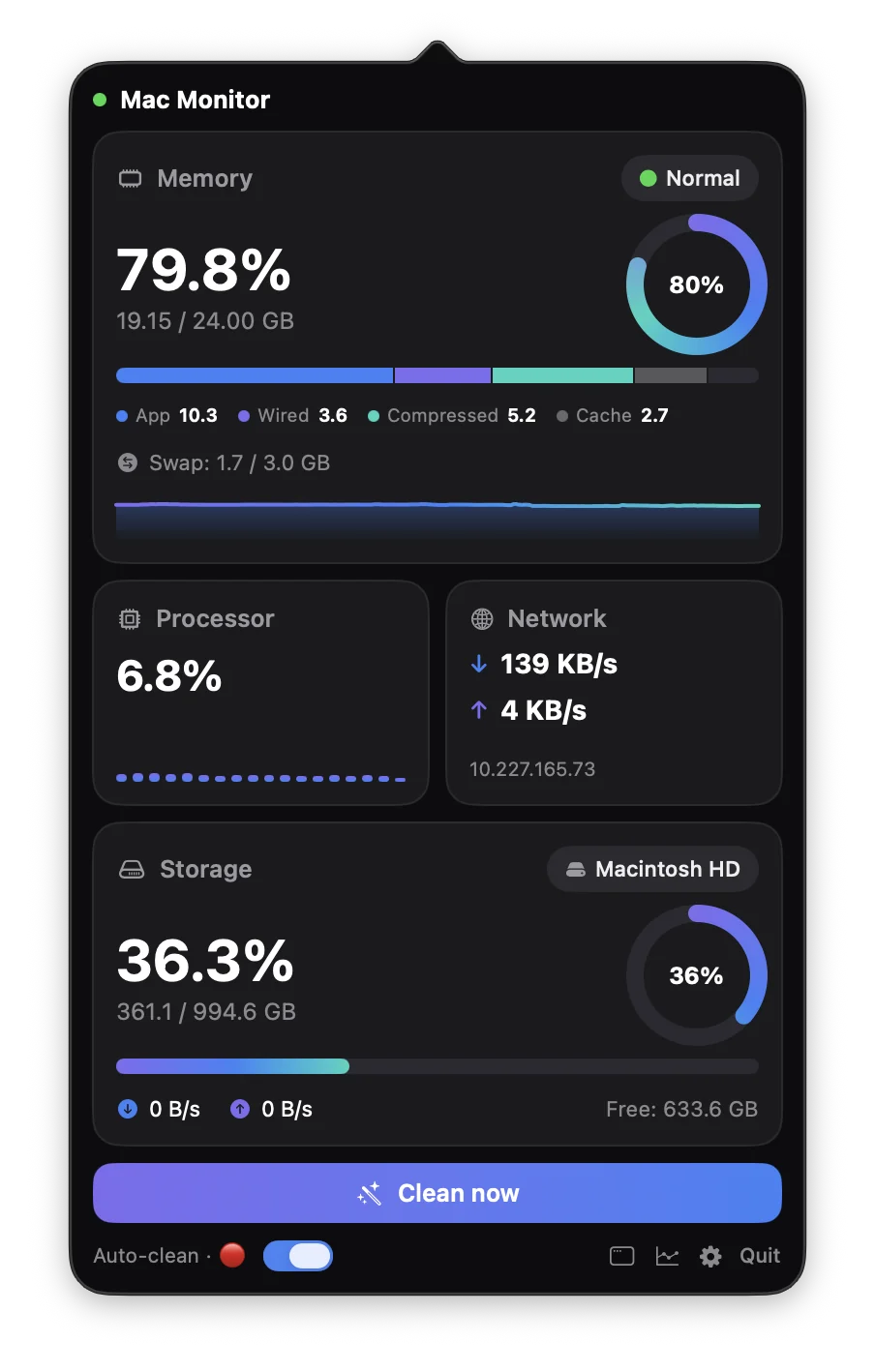
Mac Monitor is a tiny, open-source menu bar monitor for RAM, CPU, network and disk. One quiet number up top. An honest dashboard on click.
universal · apple silicon + intel · ~1% cpu · ~50 mb ram · no network access
why
Low free RAM on a Mac is normal.
macOS fills idle memory with file cache, so “free” is almost always small. What actually tells you if you’re out of memory is memory pressure, the kernel’s own measure of how hard it is to find free pages. That’s the number Mac Monitor puts first.
● normal
Plenty of reclaimable cache. You have enough memory, whatever “Used” says.
● warning
Compressing harder. Check the top apps.
● critical
Swapping. The only time cleaning helps, so the only time it runs automatically.
features
Small on purpose.
Everything you need to understand your Mac at a glance, and nothing that runs when you’re not looking.
One number in the menu bar
Network speed, RAM % or CPU % in a narrow, fixed-width item that never makes neighbouring icons jitter. Updates every 1, 2 or 3 seconds.
Dashboard on click
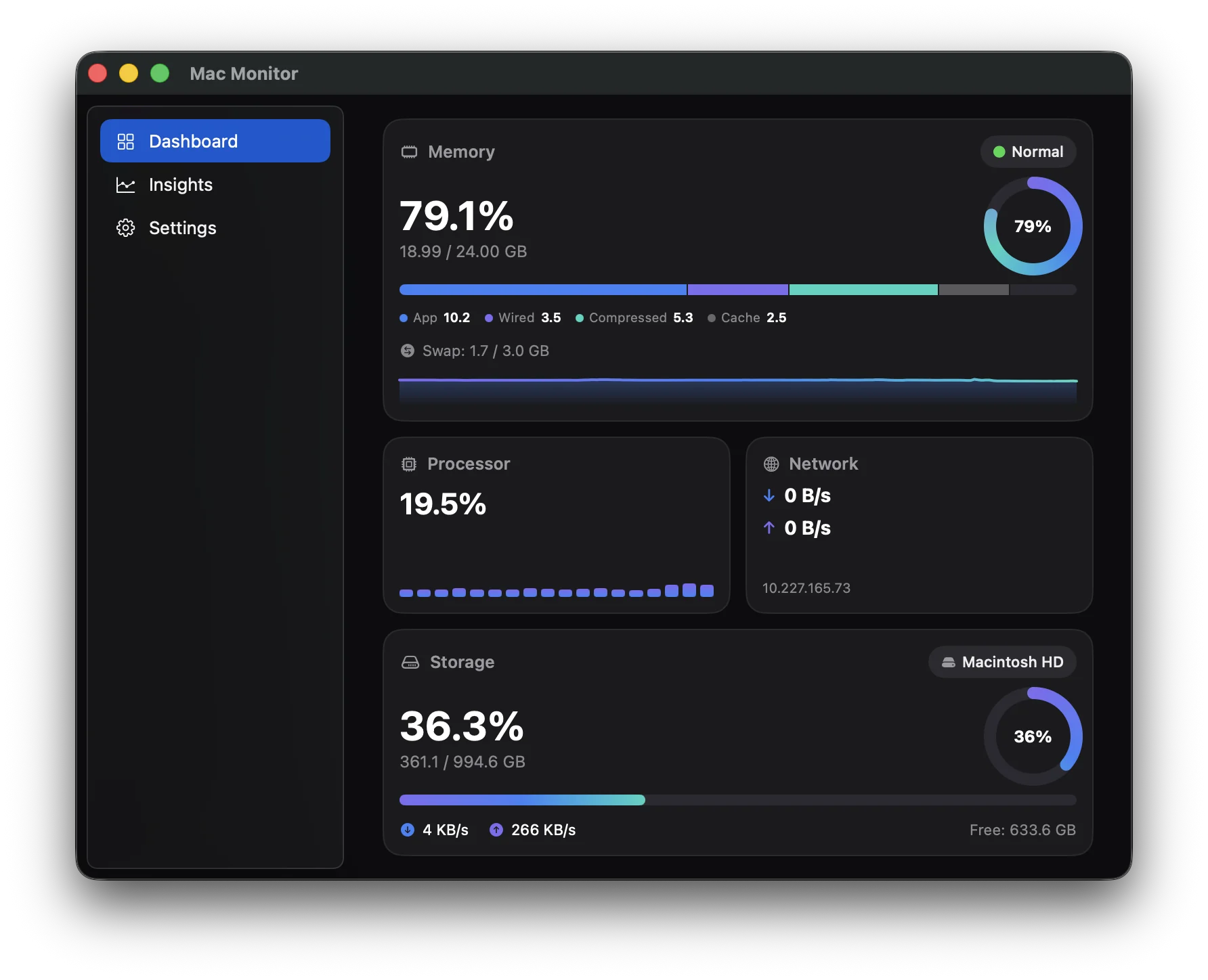
Pressure, composition (App / Wired / Compressed / Cached), swap, per-core CPU, network, disk throughput and the five biggest memory users.
24 hours of history
RAM and CPU charts with now / average / peak, plus minutes spent at critical pressure. Survives restarts.
Pressure-aware cleaning
Runs
purgewhen you click Clean now, or at critical pressure if you opt in. Never on a blind timer.No network access
No analytics, crash reports, update checks or telemetry. Not even one request.
Full window when you want it
Load average, threads, per-interface stats, disk IOPS, battery health and cycle count, power draw, GPU.
English · Русский · Oʻzbek
Switch languages live. Adding one is a single string table.
Launch at login, notifications
Both optional. Starts quietly in the menu bar without opening a window.
settings
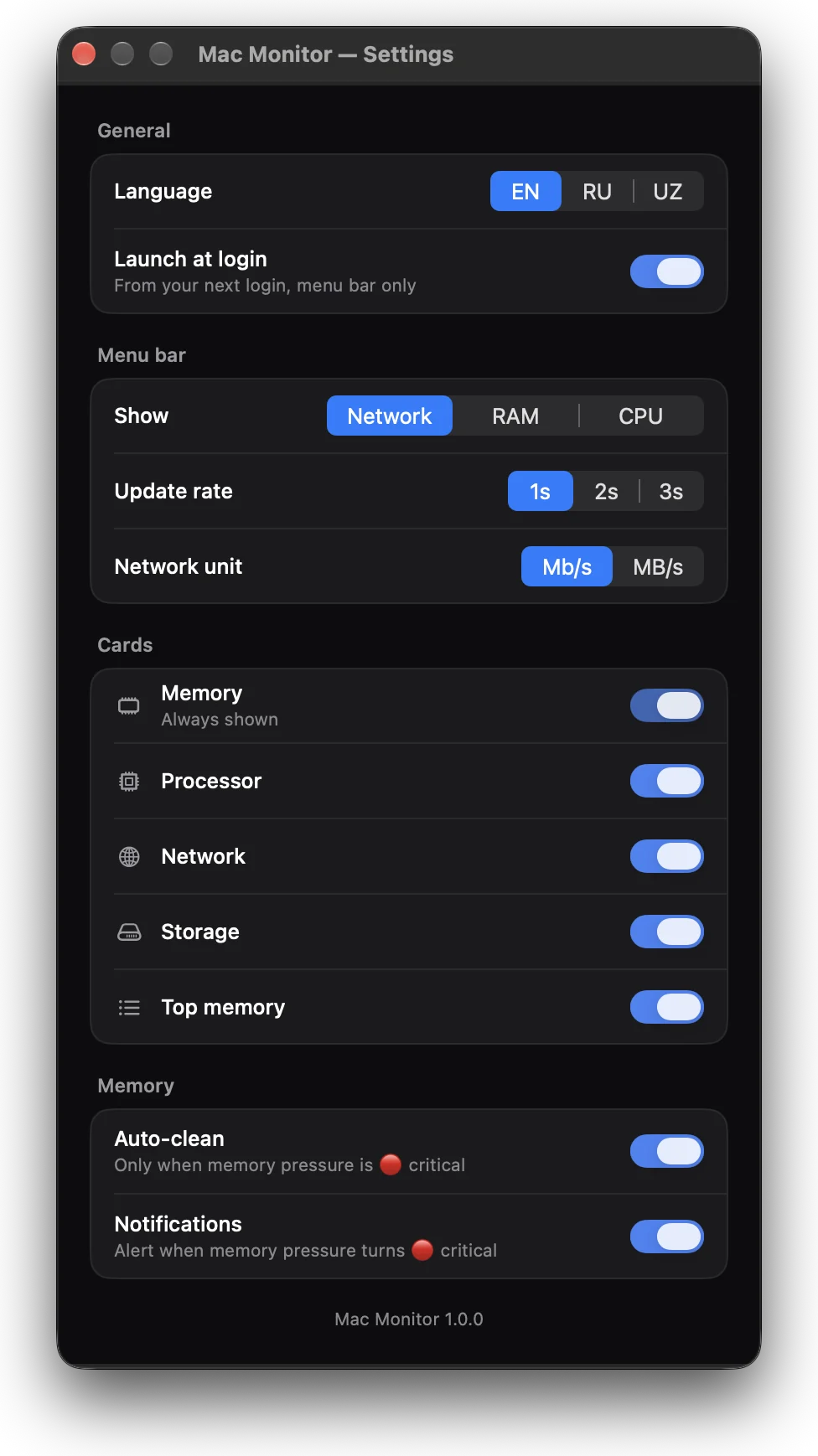
A few switches. Sensible defaults.
Everything fits on one screen. Try it: these controls drive the menu bar item at the top of this page.
general
menu bar
cards
memory
Optional: a one-line sudoers rule lets auto-clean run /usr/sbin/purge without a password prompt. Nothing else gets root. How it works →
open source
Read every line.
Mac Monitor is MIT licensed and small enough to audit over a coffee. No Xcode project, no packages: one build script and the Command Line Tools.
MacMonitor/
├── Sources/
│   ├── main.swift        # menu bar, popover, timer
│   ├── Core.swift        # memory, pressure, disk
│   ├── Advanced.swift    # battery, GPU, load average
│   ├── History.swift     # 24 h of 1-min aggregates
│   ├── Insights.swift    # charts
│   ├── MainWindow.swift
│   ├── Welcome.swift
│   └── Localization.swift # en / ru / uz
├── Casks/              # homebrew tap
├── build.sh            # universal build
└── LICENSE             # MIT
compare
The small, focused one.
| Mac Monitor | Stats | iStat Menus | |
|---|---|---|---|
| Price | Free, MIT | Free, MIT | Paid |
| Menu bar | One fixed-width number | Many modules | Many modules |
| Focus | Memory pressure | Broad hardware sensors | Broad hardware sensors |
| Network access | None | Update checks | Update checks |
Want every sensor and fan speed? Use Stats or iStat Menus. Want one quiet number and a clear memory picture? Try Mac Monitor.
install
Pick your way in.
dmg
Download MacMonitor.dmg, drag it to Applications, open it.
xattr -dr com.apple.quarantine \
  "/Applications/Mac Monitor.app"
homebrew
The repo is also a tap.
brew tap ahmadjondev/macmonitor \
  https://github.com/Ahmadjondev/MacMonitor
brew install --cask mac-monitor
source
About a minute with the Command Line Tools.
git clone https://github.com/Ahmadjondev/MacMonitor
cd MacMonitor && ./build.sh
The release is ad-hoc signed but not notarized yet. On first launch, approve it once in System Settings → Privacy & Security → Open Anyway (macOS 15), or right-click the app → Open (macOS 13–14). The xattr command above does the same.
faq
Questions.
Is it free?
Yes. Free and open source under the MIT license. No paid tier, no ads, no account.
Does it collect any data?
No. It makes no network connections at all. Settings and history stay in your user account; network speed comes from your Mac’s own interface counters.
Why does my Mac show so little free memory?
Because macOS uses idle memory as file cache that it can reclaim instantly. Low free RAM is normal; watch memory pressure instead. Longer explanation →
Does it clean memory automatically?
Only if you turn auto-clean on, only at critical pressure, and at most once a minute. Purging on a timer just throws away useful cache, so Mac Monitor never does it.
Which Macs are supported?
macOS 13 Ventura or later, Apple Silicon and Intel (universal binary).
Why isn’t it on the Mac App Store?
The App Sandbox blocks running purge as administrator, listing every process and writing a LaunchAgent for launch at login. Most full-featured Mac monitors ship outside the store for the same reason.
How can I help?
Star the repo, report bugs, suggest features, or add a translation in Localization.swift.